Why put more than one account behind your checkout
Every processor reviews accounts, especially after a sudden rise in sales. If your whole store depends on one account, a single review can stop all of your sales until it ends. Enterprise brands solve this with payment orchestration platforms that route payments across several providers, but those need developers and contracts.
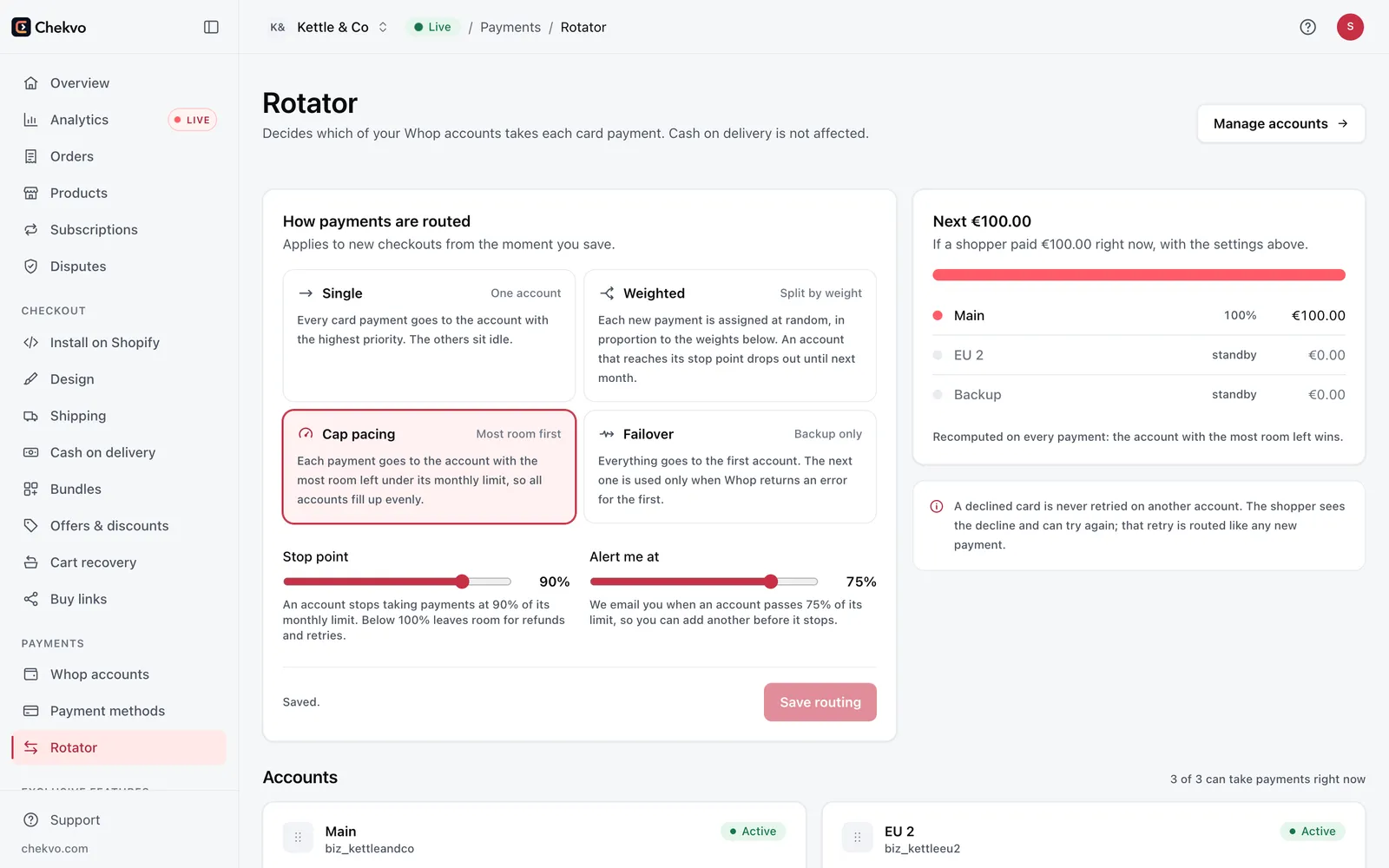
How Chekvo's rotator works
| Setting | What it does |
|---|---|
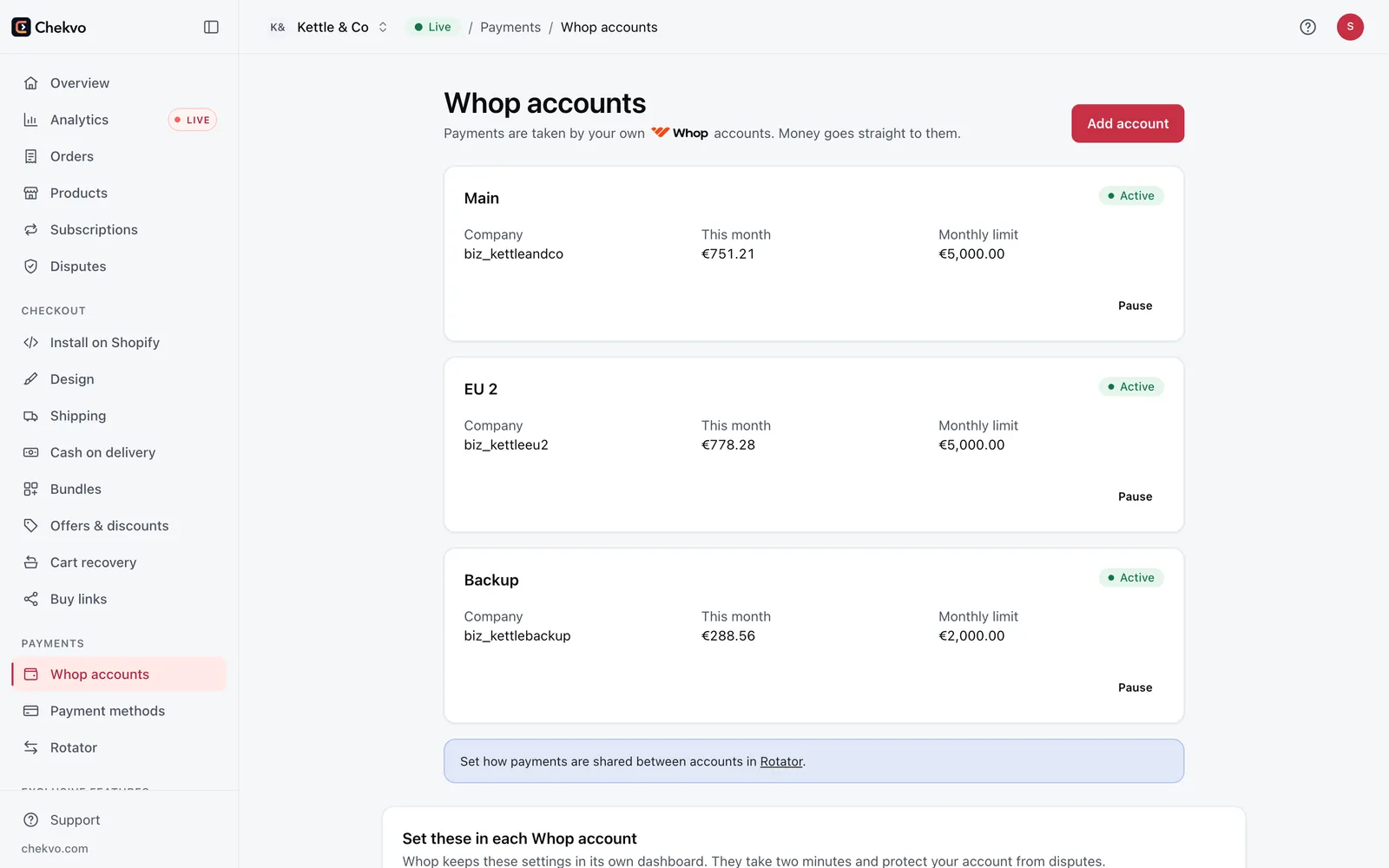
| Accounts | Add several of your own Whop accounts, for example a main account, an EU account and a backup |
| Monthly limit | Stop routing to an account once it reaches the volume you set |
| Alerts | Get notified before an account reaches its limit |
| Failover | Move new checkouts away from an account that is unavailable or under review |
| Orders | Every order is created in Shopify, whichever account took the payment |
Orchestration vs a single gateway
| One gateway | Chekvo rotator | |
|---|---|---|
| If the account is reviewed | Checkout stops | New checkouts go to your other accounts |
| Volume per account | All of it | Spread with your own monthly limits |
| Setup | Built in | A setting in Chekvo, no developer |
| Shopify orders | Yes | Yes |
Plans
The rotator is part of the Scale plan ($299 a month with 6,000 orders included). Orders routed by the rotator carry a 3% Chekvo fee; payments go to your own Whop accounts, and Whop charges its usual processing fee on each.
Good practice
Use accounts that are genuinely yours and set up correctly with Whop, describe your products honestly and keep disputes low. Routing spreads volume; it doesn't replace following each provider's rules.