Whop's fees at a glance
These are the rates Whop publishes for new merchants. Enterprise sellers can negotiate their own.
| What | Whop fee |
|---|---|
| Domestic card or wallet payment | 2.7% + $0.30 per successful payment |
| International card | + 1.5% |
| Currency conversion | + 1% |
| ACH direct debit (US bank accounts) | 1.5%, maximum $5 |
| Buy now, pay later (Klarna, Afterpay and others) | 15% per payment (20% for ClarityPay No Interest) |
| 3D Secure authentication | $0.03 per transaction |
| Radar fraud screening | $0.07 per transaction |
| Dispute (chargeback) | $15 per dispute |
| Early dispute alert (RDR) | $29 per alert |
| Monthly fee | None |
Three optional tools stack on top when you switch them on: orchestration across several processors (0.8%), billing automation (0.5%) and tax calculation and remittance (2%, only when tax is collected). With all three on and tax collected, a domestic card payment costs 6% + $0.30.
Payout fees
Your sales land in your Whop balance. Moving them to you costs a fee per payout, not per sale.
| Payout method | Fee per payout | Speed |
|---|---|---|
| Next-day ACH (US bank) | $2.50 | Next business day |
| Instant bank deposit (RTP) | 4% + $2.50 | Instant where supported |
| Bank wire | $23 | Usually 1–2 business days in the US |
| Local bank transfer outside the US | Varies by country | Varies by country |
| Crypto | 5% + $1.00 | Fast, worldwide |
| Venmo (US only) | 5% + $2.50 | Instant |
Tip: withdraw less often and in larger amounts. A flat $2.50 or $23 fee matters on a $100 payout and almost disappears on a $5,000 one.
What one order really costs
Whop processing fees on a single order (3D Secure and Radar not included):
| Order | Domestic card | International card | International card + conversion |
|---|---|---|---|
| $25 | $0.98 (3.9%) | $1.35 (5.4%) | $1.60 (6.4%) |
| $50 | $1.65 (3.3%) | $2.40 (4.8%) | $2.90 (5.8%) |
| $100 | $3.00 (3.0%) | $4.50 (4.5%) | $5.50 (5.5%) |
The fixed $0.30 weighs most on small orders. Bundles and quantity offers raise your average order and lower your effective rate.
Whop vs Stripe fees
Whop's published domestic rate is 2.7% + $0.30. Stripe's standard US online rate is 2.9% + $0.30, with extra for international cards and currency conversion. Both charge for disputes. The bigger difference for many stores isn't the rate: Whop pays out in far more countries and accepts businesses Stripe often refuses. See our Stripe alternative guide.
What a Shopify store pays with Whop
Whop isn't a built-in Shopify gateway, so a checkout app connects your store to your Whop account. Whop's processing fee is the same whichever app you choose. What changes is the app's own fee on top.
Software fees per month, $30,000 in sales at a $50 average order (600 orders), one-time purchases:
| App | Monthly price | Cut of each order | Software cost at $30,000 |
|---|---|---|---|
| Chekvo | $99 (500 orders included) | None on normal orders | $114 |
| CrispCheckout | $99 | 0.5% | $249 |
| LatchPay | €100 | 0.8% | €340 |
| Lasso | $199 | 1% | $499 |
| WooshPayment | €199 | 1% | €499 |
Chekvo's plans: Starter $99 a month with 500 orders included, Growth $199 with 2,000, Scale $299 with 6,000, then a flat $0.15, $0.12 or $0.10 per extra order. Subscription orders (2%) and orders routed by the multi-account rotator (3%) are billed as a share of the order instead of using the included orders, and recovered abandoned carts carry a 5% performance fee. Compare every app in the best Whop checkout apps for Shopify.
Shopify may also charge its third-party transaction fee on card orders when you don't use Shopify Payments; the rate depends on your Shopify plan. Shopify lists manual methods such as cash on delivery as exempt.
How to pay less in Whop fees
- Offer cash on delivery next to cards. COD orders are collected in cash, so no Whop processing fee applies. Chekvo adds COD to the same checkout, with free WhatsApp confirmation. See cash on delivery on Shopify.
- Raise your average order. One-click upsells after payment and quantity offers spread the $0.30 over a bigger total.
- Withdraw in larger, less frequent payouts and pick the cheapest method for your country.
- Prevent disputes. Each one costs $15 plus the sale. Clear descriptors, tracking and fast replies help; Chekvo's disputes center lists every Whop dispute and alert next to its order, with the evidence Chekvo recorded at checkout.
- Only turn on the optional tools you need. Orchestration, billing and tax add 0.8%, 0.5% and 2%.
Reserves are not fees
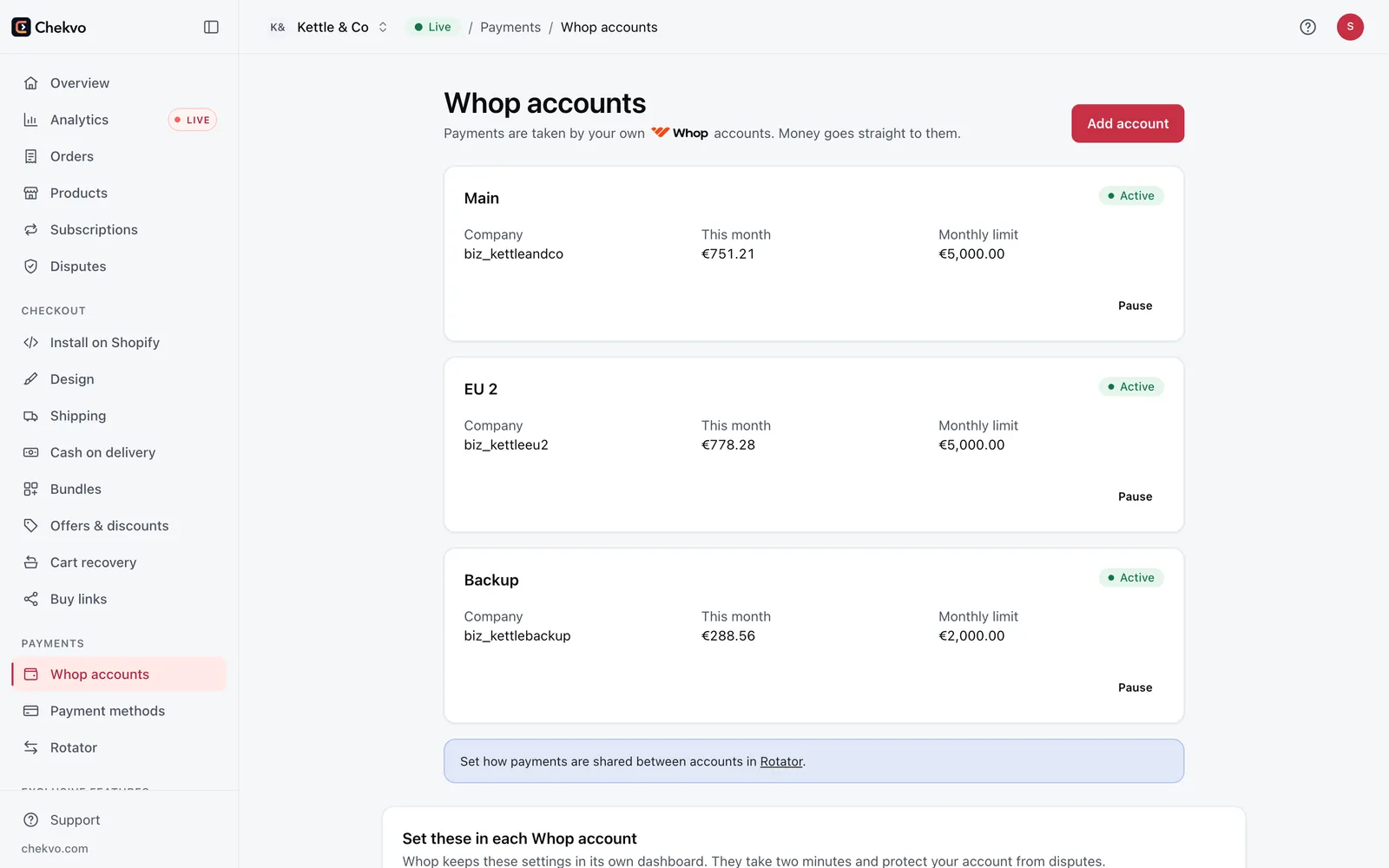
Whop can hold part of your balance in a reserve, for example when your account is new or disputes rise. Reserved money is still yours and releases automatically on its date; Whop says a reserve is never a fee. A rolling reserve holds a percentage of each sale for a set number of days. Chekvo's rotator lets you spread payments across several of your Whop accounts, and a health watch takes an account out of rotation the moment Whop stops accepting it, so one account's limit never stops your sales.
Build your checkout free and see your real costs before you go live.