Apple Pay and Google Pay on Shopify without Shopify Payments (2026)
Updated · 3 min read · By the Chekvo team
Short answer
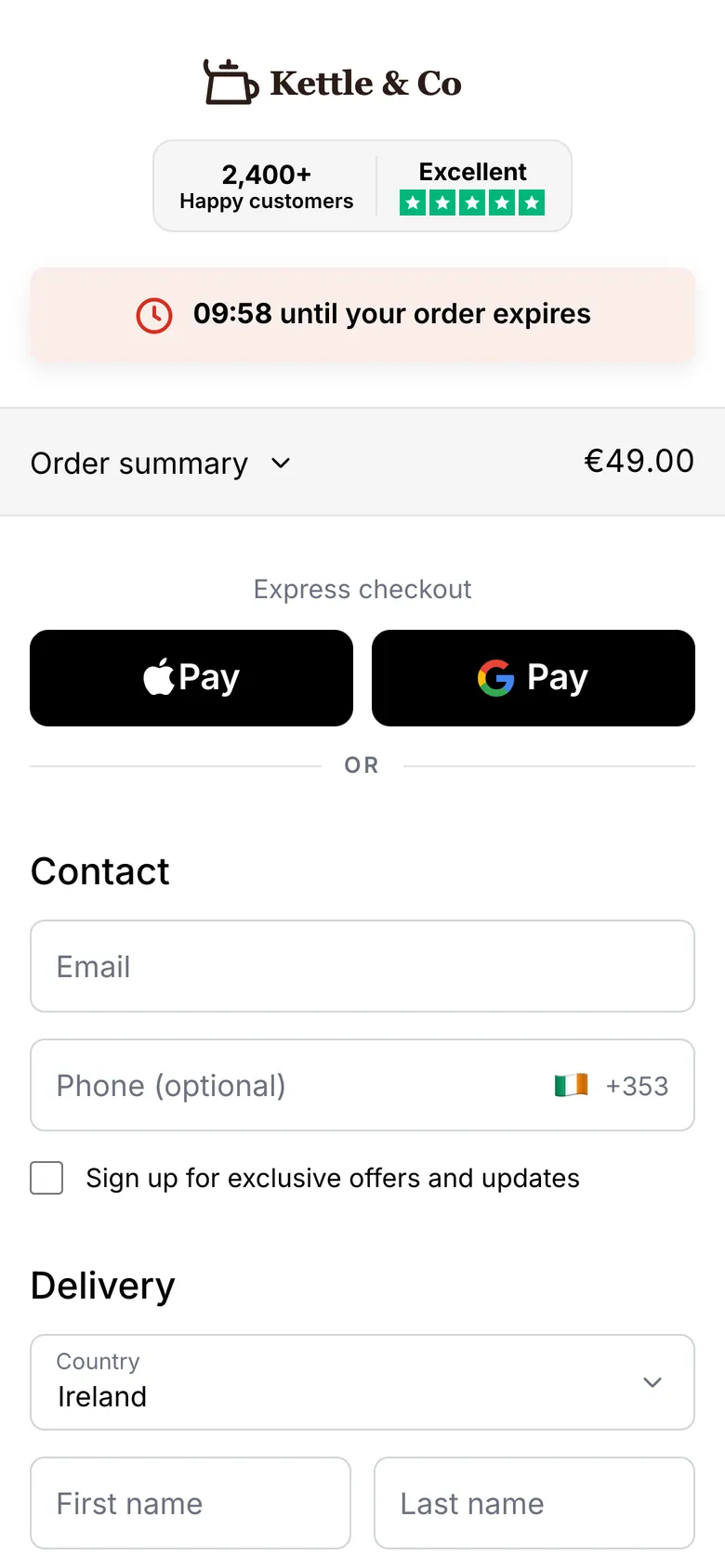
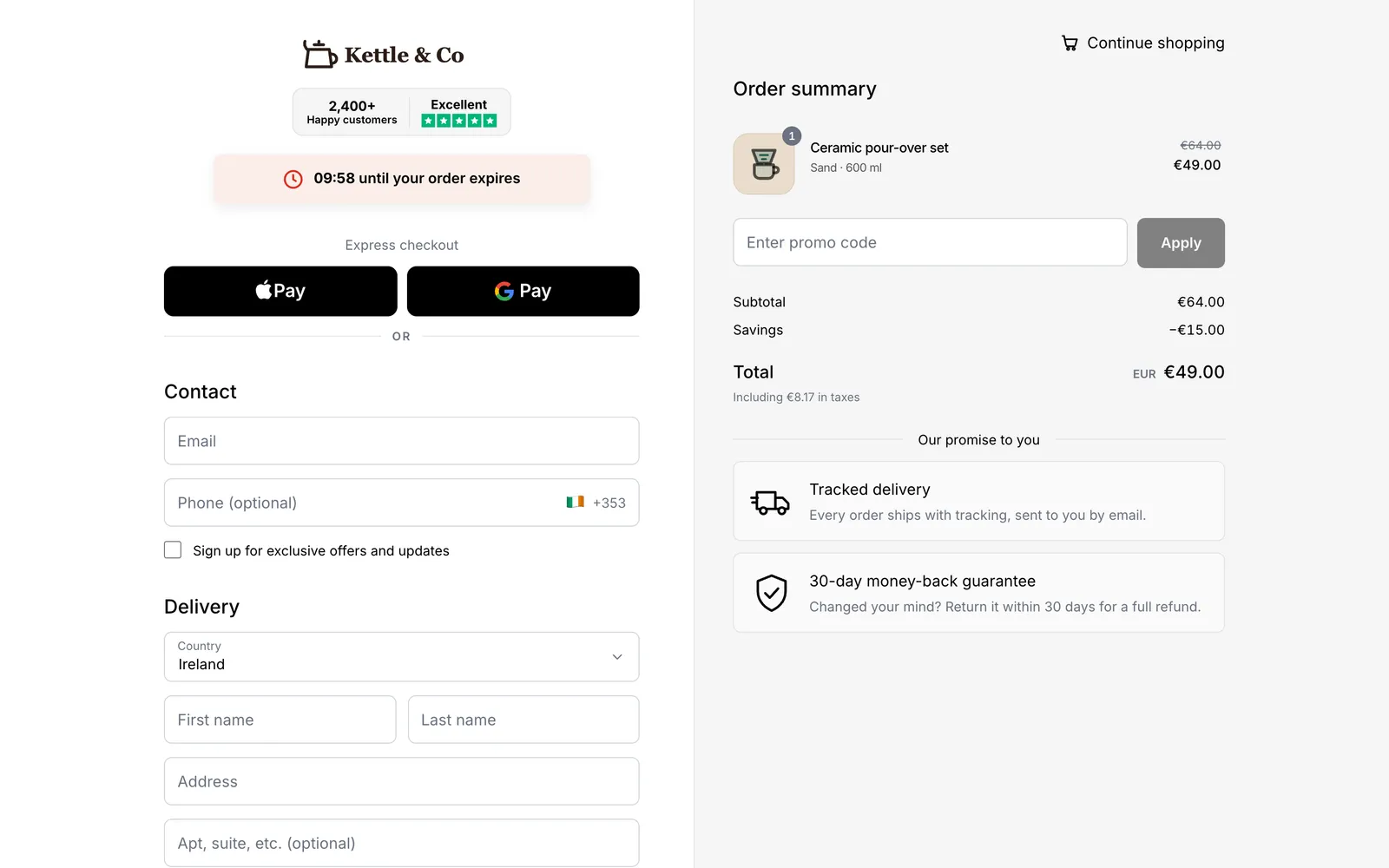
If you can't use Shopify Payments, you can still offer Apple Pay and Google Pay on your Shopify store by connecting a Whop account with Chekvo. Your customers see Apple Pay and Google Pay at the top of a branded one-page checkout, pay with one tap, and the money goes to your own Whop account. Every order is created in Shopify, and you can be live in about 15 minutes.
Key takeaways
Wallets are the fastest way to pay on a phone: no card number, no typing.
Without Shopify Payments, many stores lose Apple Pay and Google Pay at checkout.
Chekvo shows both wallets at the top of the checkout, processed by Whop.
Cards and cash on delivery sit below for customers who prefer them.
Why stores choose Chekvo
✓Apple Pay and Google Pay back on your store, even without Shopify Payments.
✓One-tap payment on a branded one-page checkout.
✓Money in your own Whop account, payouts in 200+ countries.
✓Live in about 15 minutes, orders created in Shopify.
Most Shopify traffic comes from phones, and typing a card number on a phone is where many shoppers give up. Apple Pay and Google Pay fill in the payment and often the address with one tap.
How to add Apple Pay and Google Pay with Chekvo
Open a Whop account. Whop processes card and wallet payments.
Connect your Shopify store and Whop account to Chekvo.
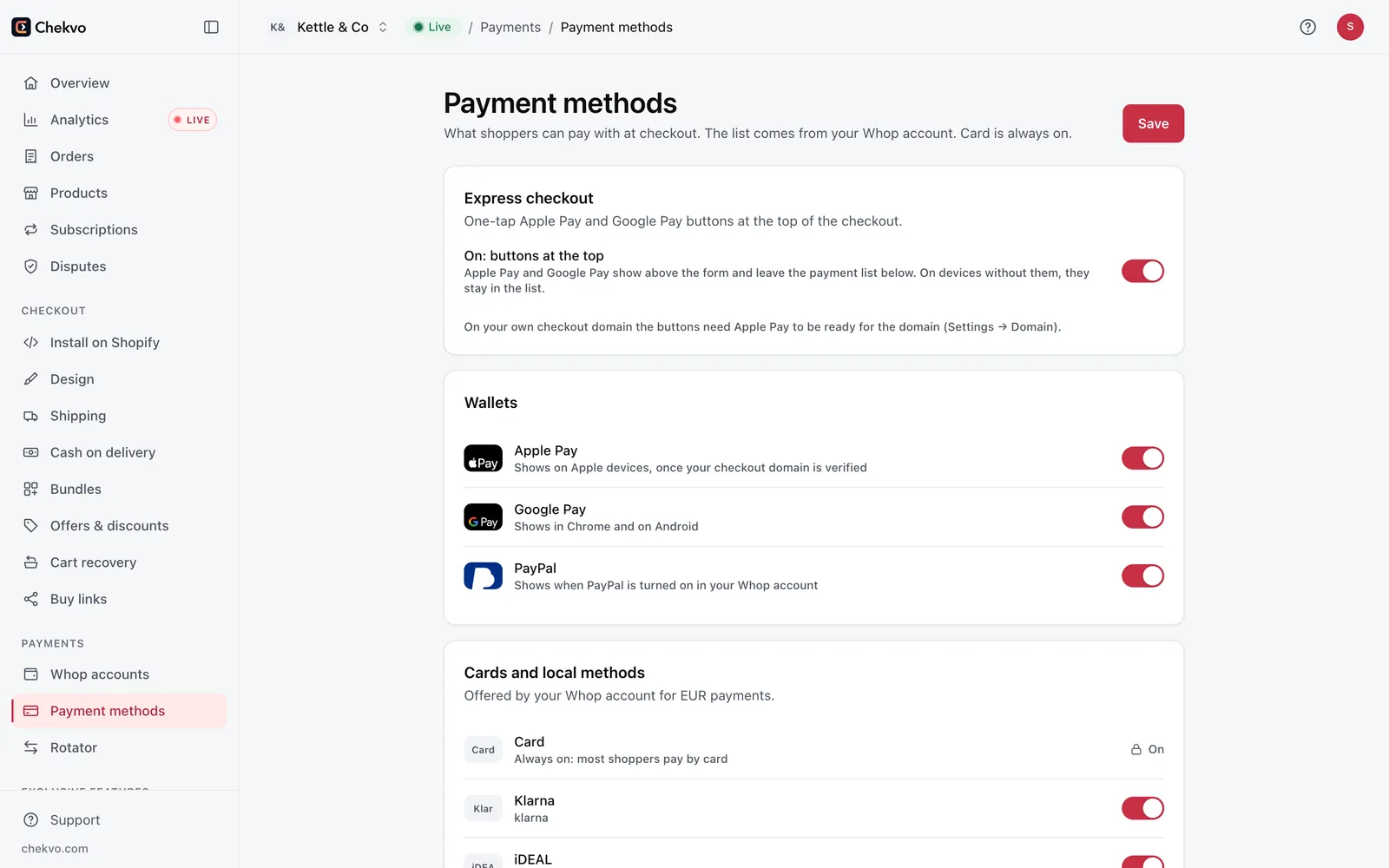
Turn on express checkout in Payments: Apple Pay and Google Pay appear at the top of your checkout on supported devices.
Go live and test on a phone.
Turn wallets on in one place.
What your customers see
Apple Pay on Safari and iPhone, Google Pay on Chrome and Android.
Cards below, with the same branded design as your store.
Their language, and your Shopify prices, shipping and discount codes.
Costs
Wallet payments are card payments: with Whop, 2.7% + 30¢ on domestic cards, plus 1.5% for international cards and 1% for currency conversion. Chekvo starts at $99 a month with 500 orders included.
This article is general information, not financial, legal or tax advice. Payment providers such as Whop and Shopify decide on their own who they accept, their fees, limits, reserves and payout times; nothing here promises approval or a result. Figures are examples and estimates as of October 21, 2026 and can change; check each provider's current pricing and terms before you decide. Whop and Shopify are trademarks of their owners; Chekvo is an independent product. Use of Chekvo is governed by our Terms of service.
Spotted something wrong or out of date? Email legal@chekvo.com and we'll check and correct it.
Sell with Whop on Shopify, with a checkout that converts.
Branded one-page checkout, cash on delivery, cart recovery and one-click upsells, paid into your own Whop account. Build and preview it for free.